


APK Editor
APK 1.9.0Let's build community together and explore the coolest world of APK Games/Apps.
APK Editor is an application that allows users to easily edit and customize Android APK files. Discover features like Simple Edit, Full Edit, version management, and how this powerful app gives you full control over installed applications.
Information
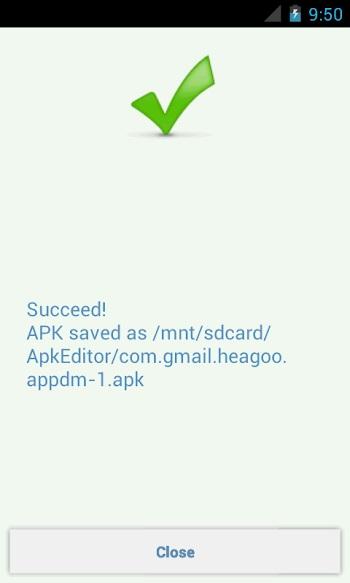
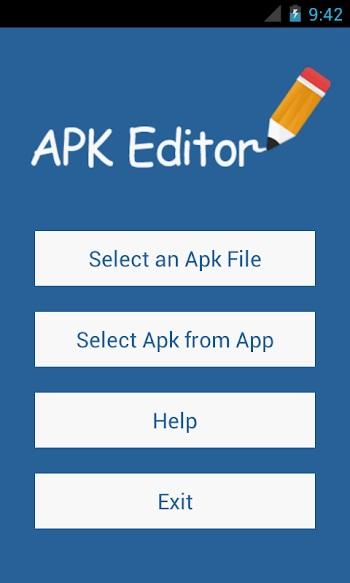
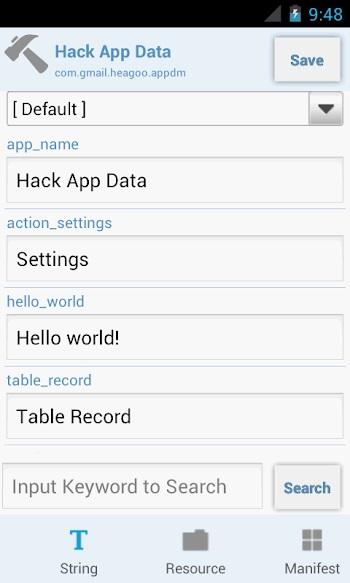
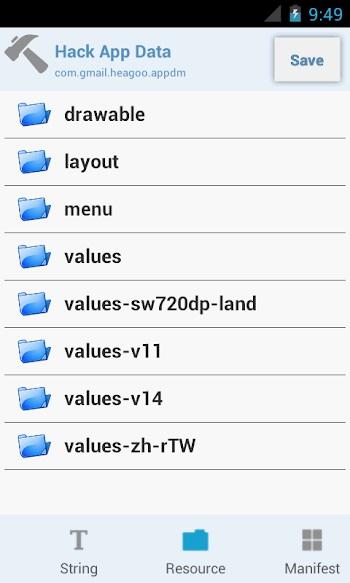
APK Editor APK – Take Full Control of Android Apps Like a Pro
Have you ever looked at an Android app and thought, “If only I could tweak this just a little”? Maybe remove an unnecessary permission, change a background image, or simplify something that feels overcomplicated. Most users stop right there, assuming apps are locked boxes that can’t be touched once installed.
That’s where APK Editor apk completely flips the script.
This is not a flashy game or a casual entertainment app. APK Editor is a powerful utility designed for users who want deeper control over Android applications. Whether you’re curious, experimental, or already comfortable with app structures, this tool gives you the freedom to explore what’s under the hood of APK files and reshape them to match your needs.
What makes it exciting is not just what it can do, but how much creative freedom it offers once you understand its mechanics.
What Is APK Editor APK?
APK Editor is an Android application that allows you to modify APK files directly on your device. An APK, for those unfamiliar, is the package file format Android uses to distribute and install apps. Normally, these files are hidden behind the scenes, but APK Editor brings them right to your fingertips.
Advertisement
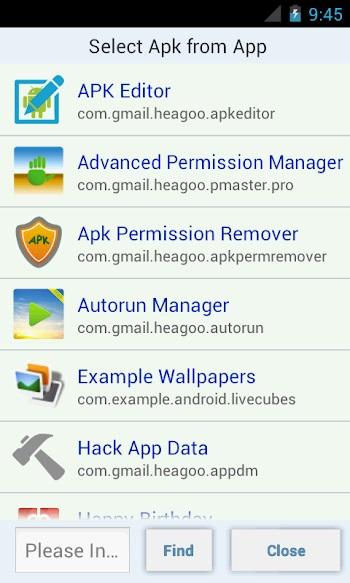
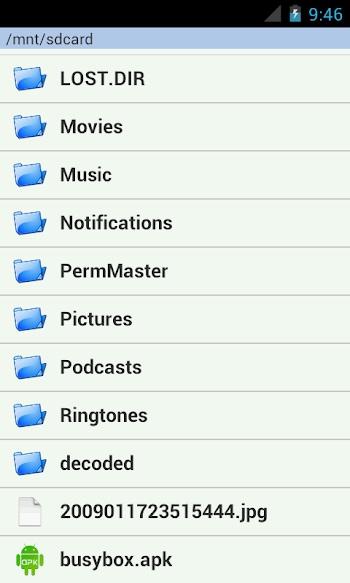
You don’t even need to have the APK file stored beforehand. If an app is already installed on your phone, APK Editor can extract its APK automatically, opening it up for editing. This alone makes the app incredibly practical, especially for users who want quick access without extra steps.
Instead of being limited to how an app was originally published, APK Editor lets you reshape certain elements, from visuals to internal configurations, depending on your experience level.
Two Editing Modes Explained
One of the smartest design choices in APK Editor is how it separates editing into two distinct modes. This makes the app approachable for beginners while still offering advanced flexibility for experienced users.
SIMPLE EDIT Mode
SIMPLE EDIT is exactly what it sounds like. This mode allows you to replace or modify existing files inside an APK without rebuilding everything from scratch.
Common uses include:
-
Changing background images or icons
-
Editing text resources
-
Removing unnecessary languages to reduce app size
-
Making small adjustments without touching core logic
This mode is fast, intuitive, and perfect for users who want visible results without diving too deep into technical processes.
FULL EDIT Mode
FULL EDIT is where APK Editor truly shows its power. This mode decompiles the entire APK, allowing you to rebuild it piece by piece after making changes.
With FULL EDIT, you can:
-
Modify app resources at a deeper level
-
Adjust configurations that SIMPLE EDIT cannot access
-
Rebuild the APK after extensive customization
However, this mode requires patience and a better understanding of how Android apps are structured. It’s more demanding, but the flexibility it offers is unmatched.
What Can You Edit with APK Editor?
The real strength of APK Editor apk lies in how much control it gives you. Depending on your skills and curiosity, the possibilities can be surprisingly broad.
Visual Customization
Many users start with visuals, and for good reason. APK Editor allows you to:
-
Replace background images
-
Adjust layout resources
-
Modify icons and splash screens
These changes are often the most satisfying because the results are immediately visible.
Language and Size Optimization
Not every app needs dozens of language packs. APK Editor makes it possible to remove unwanted languages, which can significantly reduce file size. This is especially useful for older devices or users who prefer lightweight apps.
Permission Management
While APK Editor does not magically rewrite app behavior, it allows you to delete certain permissions from the APK configuration. This gives advanced users more control over what an app requests, though careful testing is always recommended.
Advertisement
Structural Tweaks
For those comfortable exploring deeper files, APK Editor opens access to various resources that shape how an app behaves. The extent of what you can do depends entirely on your understanding of Android app architecture.
A Tool That Rewards Skill and Caution
APK Editor is not an app you rush into blindly. Used correctly, it can be incredibly rewarding. Used carelessly, it can lead to apps that fail to install or run properly.
That’s why the built-in help section and community examples are so valuable. They provide guidance, explain common pitfalls, and show real-world use cases that help users learn by doing.
Think of APK Editor as a workshop. The tools are powerful, but the quality of the result depends on the person using them.
Different Variants Users Look For
Over time, APK Editor has evolved, and users often search for different variations depending on their needs.
Some people look for apk editor apk old version because older releases may run better on legacy Android devices. Others prefer the apk editor apk latest version to access newer features and improved compatibility.
You may also come across mentions of apk editor pro apk, which typically refers to editions that offer enhanced functionality or fewer limitations. Meanwhile, terms like apk editor base apk are often used when discussing the core package before any customization is applied.
It’s also common to see searches for apk editor apk mod, usually from users exploring extended capabilities. Regardless of the version, understanding the app’s functions is far more important than chasing labels.
Practical Use Cases for APK Editor
APK Editor isn’t just about experimentation. It has real, practical applications when used responsibly.
Developers may use it for testing layouts or resources. Advanced users might customize apps for personal convenience. Even learners can use APK Editor as a hands-on way to understand how Android applications are structured.
It’s a learning tool just as much as it is a customization tool.
Is APK Editor Easy to Use?
The answer depends on what you want to achieve.
For simple changes, APK Editor is surprisingly accessible. SIMPLE EDIT mode lowers the barrier of entry and allows beginners to make meaningful edits without deep technical knowledge.
For advanced modifications, the learning curve is steeper. But that’s part of the appeal. APK Editor grows with you, offering more control as your skills improve.
Why APK Editor APK Stands Out
Unlike many utility apps that promise a lot and deliver little, APK Editor focuses on one thing and does it well. It doesn’t overwhelm users with unnecessary features. Instead, it provides a clean interface, clear editing modes, and the freedom to experiment.
If you enjoy understanding how things work and value control over customization, this app quickly becomes indispensable.
Even users who start out of pure curiosity often find themselves spending hours exploring possibilities they never thought were accessible on a mobile device.
Final Thoughts
APK Editor apk is not for everyone, and that’s exactly why it’s special. It’s designed for users who want more than just surface-level interaction with their apps. It encourages exploration, rewards learning, and opens doors to customization that most Android users never experience.
Whether you’re making small visual tweaks or diving deep into app structures, APK Editor gives you the tools. What you build with them is entirely up to you.
Let's build community together and explore the coolest world of APK Games/Apps.






1. This is the safest site on the Internet to download APK. 2. Don't ask about the Play Protect warning, we've explained it well, check here. 3. Do not spam, be polite and careful with your words.